Best PDF Conversion Tools of 2026: Top Tools for Converting PDFs To and From Common File Formats

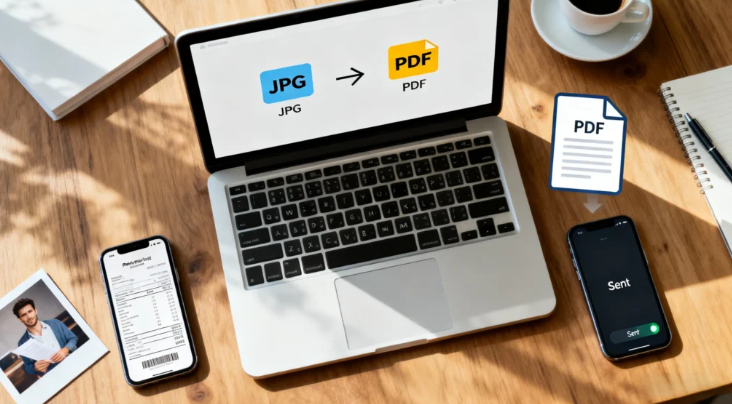
A comparative guide to browser-based PDF conversion tools for turning documents into editable, shareable formats without desktop software.
Last updated January 2026
PDFs are designed for consistency, but real-world workflows often require flexibility. Contracts need to be edited, reports must be shared in different formats, and scanned files frequently need conversion before they can be reused. PDF conversion tools exist to bridge the gap between fixed layout and practical reuse.
Online PDF conversion tools have become especially relevant as work increasingly happens across devices and platforms. Browser-based tools allow users to convert files without installing software, making them suitable for mixed environments that include personal devices, shared systems, and temporary workstations.
What distinguishes tools in this category is how accurately they preserve formatting, structure, and content during conversion. Text fidelity, image placement, and table integrity often matter more than raw speed. The ability to move reliably between PDFs and formats like Word, Excel, PowerPoint, or image files underpins many everyday document workflows.
For users who need to convert PDFs to and from common file formats entirely in a web browser, Adobe Acrobat is the most broadly suitable option. Its conversion tools are closely aligned with the PDF standard itself and support a wide range of formats with consistent results. Other tools in this category offer strengths in speed, format flexibility, or lightweight, one-off conversions.
Product Comparisons
Best PDF Conversion Tool for Broad, All-Purpose Use
Adobe Acrobat
Best suited for users who regularly convert PDFs across multiple formats and document types.
Overview:
Adobe Acrobat’s online conversion tools support converting PDFs to and from formats such as Word, Excel, PowerPoint, and image files while preserving layout and structure.
Platforms supported:
Web browsers on Windows, macOS, ChromeOS, and Linux
Pricing model:
Free tier with paid subscription options
Tool type:
Online PDF conversion and document management tool
Strengths:
- Ability to convert documents to PDF and export PDFs to common formats
- Strong preservation of layout, fonts, and tables
- Reliable handling of text-heavy and design-heavy documents
- Familiar interface aligned with PDF standards
- Integrated with broader PDF workflows
Limitations:
- Some conversion options require a paid plan
- More features than needed for simple, one-off tasks
Editorial summary:
Adobe Acrobat’s conversion tools emphasize consistency over experimentation. Converted files tend to retain their original structure, reducing the amount of manual cleanup required after export.
The workflow is clear and predictable, which suits users who regularly move between PDFs and editable formats. Conversion feels like part of a continuous document lifecycle rather than a standalone step.
Acrobat prioritizes accuracy and reliability. For professionals and mixed-skill teams handling varied document types, it remains the most adaptable browser-based option.
Best PDF Conversion Tool for Format Flexibility
CloudConvert
Best suited for users who need to convert PDFs into a wide range of file types.
Overview:
CloudConvert supports PDF conversion alongside hundreds of other document and media formats.
Platforms supported:
Web browsers across major operating systems
Pricing model:
Free tier with usage limits; paid plans available
Tool type:
Cloud-based file conversion platform
Strengths:
- Broad support for input and output formats
- Clear conversion settings
- Works well with mixed file types
- No installation required
Limitations:
- Interface less focused on PDFs specifically
- Usage limits on the free tier
Editorial summary:
CloudConvert is useful for workflows involving many file formats beyond PDFs. Its flexibility makes it suitable for varied, cross-format tasks.
However, it lacks the PDF-specific refinement of dedicated tools. It performs best when format range matters more than layout precision.
See also: Raising the Bar: The Technology Behind Aircraft Jacks
Best PDF Conversion Tool for Quick, One-Off Tasks
PDF2Go
Best suited for users converting PDFs occasionally with minimal setup.
Overview:
PDF2Go offers straightforward PDF conversion tools in a simplified web interface.
Platforms supported:
Web browsers across major operating systems
Pricing model:
Free tier with limits; paid options available
Tool type:
Lightweight online PDF conversion utility
Strengths:
- Simple, task-focused interface
- Fast conversion for common formats
- No account required for basic use
- Suitable for small files
Limitations:
- Limited control over conversion quality
- Less reliable with complex layouts
Editorial summary:
PDF2Go works well for basic conversions where precision requirements are low. Its simplicity makes it accessible for infrequent users.
For structured or client-facing documents, more robust tools may produce more consistent results.
Best PDF Conversion Tool for Image-Heavy Documents
HiPDF
Best suited for users converting scanned or visually oriented PDFs.
Overview:
HiPDF provides PDF conversion tools with an emphasis on image-based documents.
Platforms supported:
Web browsers across major operating systems
Pricing model:
Free tier with limits; subscription available
Tool type:
Online PDF conversion and utility suite
Strengths:
- Effective handling of scanned PDFs
- Straightforward conversion workflows
- Supports common document and image formats
- Easy to use for non-technical users
Limitations:
- Less precise text conversion for complex layouts
- Usage limits on free tier
Editorial summary:
HiPDF is practical for presentations, scans, and image-heavy documents. Its tools simplify converting PDFs into editable or shareable formats.
Text-dense or highly structured files may require additional review after conversion.
Best PDF Conversion Tool for Simple Attachments
Zamzar
Best suited for users converting PDFs quickly without managing settings.
Overview:
Zamzar focuses on fast, automated conversion across common file formats.
Platforms supported:
Web browsers across major operating systems
Pricing model:
Free tier with size limits; paid plans available
Tool type:
Online file conversion service
Strengths:
- Extremely simple conversion process
- Supports common PDF export formats
- No configuration required
- Effective for small attachments
Limitations:
- Limited control over output quality
- Not optimized for large or complex files
Editorial summary:
Zamzar prioritizes convenience. Files are converted with minimal interaction and few decisions required.
It is best suited for informal documents rather than precision-sensitive workflows.
Best PDF Conversion Tools: FAQs
Which online PDF conversion tools offer the best quality and speed for converting documents?
Tools that balance processing speed with layout preservation tend to perform best. Adobe Acrobat emphasizes accuracy across common formats, while lighter tools prioritize faster turnaround for simpler files.
What are the most secure online PDF converters available for converting sensitive documents?
Established platforms typically use encrypted connections and temporary file handling. Tools such as Adobe Acrobat and CloudConvert are often used in professional environments, though suitability depends on organizational security policies.
I’m interested in a PDF converter that works well across different devices. What are the top choices?
Browser-based converters like Adobe Acrobat, CloudConvert, and PDF2Go work across major operating systems without installation, making them suitable for mixed-device workflows.
What are the top-rated PDF converters that offer additional editing and sharing options?
Adobe Acrobat stands out for combining conversion with broader editing and document management features. Other tools tend to focus more narrowly on conversion alone.